> ## Documentation Index
> Fetch the complete documentation index at: https://dify-6c0370d8-add-new-agent.mintlify.site/llms.txt
> Use this file to discover all available pages before exploring further.
# 多言語README
> この記事では、Difyプラグインの多言語READMEのファイル仕様と、Dify Marketplaceでの表示ルールについて紹介します。
⚠️ このドキュメントはAIによって自動翻訳されています。不正確な部分がある場合は、[英語版](/en/develop-plugin/features-and-specs/plugin-types/multilingual-readme)を参照してください。
プラグイン用の多言語READMEを作成できます。これは[Dify Marketplace](https://marketplace.dify.ai)やその他の場所で、ユーザーの優先言語に基づいて表示されます。
### README **ファイル仕様**
| **言語** | 必須 | ファイル名 | パス | **説明** |
| :--------- | :-- | :-------------------------- | :---------------------------- | :------------------------------ |
| **英語** | はい | `README.md` | プラグインルートディレクトリ | / |
| **その他の言語** | いいえ | `README_.md` | プラグインルートディレクトリ下の`readme`フォルダ内 | 現在、日本語、ポルトガル語、簡体字中国語をサポートしています。 |
以下はディレクトリ構造の例です:
```bash theme={null}
...
├── main.py
├── manifest.yaml
├── readme
│ ├── README_ja_JP.md
│ ├── README_pt_BR.md
│ └── README_zh_Hans.md
├── README.md
...
```
### 多言語READMEの**Marketplaceでの表示方法**
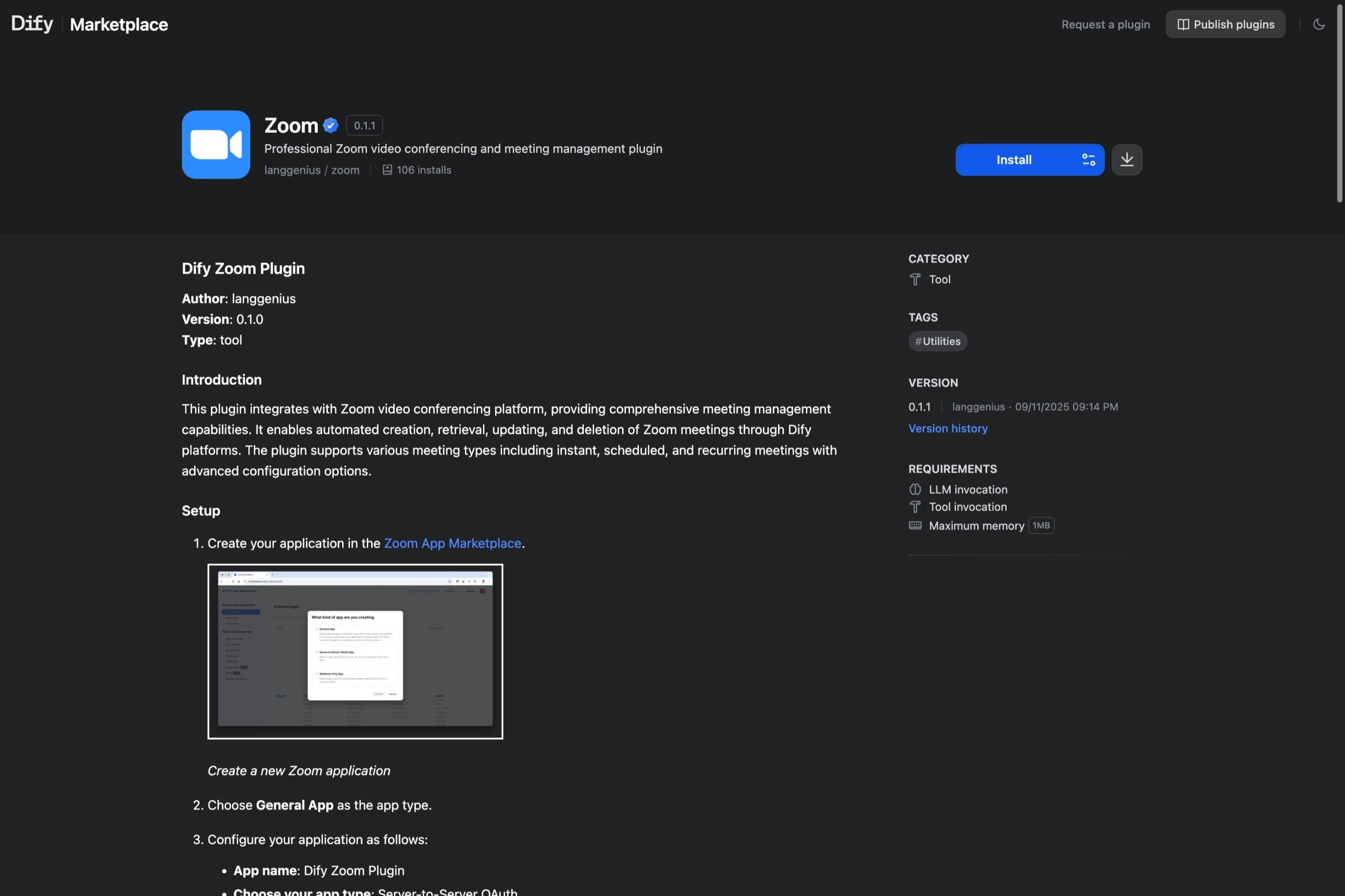
プラグインにユーザーの優先言語のREADMEがある場合、Dify Marketplaceのプラグイン詳細ページにはその言語バージョンのREADMEが表示されます。
 ***
[このページを編集する](https://github.com/langgenius/dify-docs/edit/main/en/develop-plugin/features-and-specs/plugin-types/multilingual-readme.mdx) | [問題を報告する](https://github.com/langgenius/dify-docs/issues/new?template=docs.yml)
***
[このページを編集する](https://github.com/langgenius/dify-docs/edit/main/en/develop-plugin/features-and-specs/plugin-types/multilingual-readme.mdx) | [問題を報告する](https://github.com/langgenius/dify-docs/issues/new?template=docs.yml)